GO Locker Pro1.69
Publisher Description
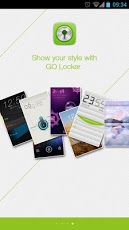
GO Locker Pro is a standalone, premium version of GO Locker, the top rated UI locker in Google Play. Premium themes (cost more than $8 if bought separately) are well integrated to make your cell phone outstanding. GO Locker Pro is compatible with any launchers. Overall, it’s much simpler, faster, more stylish and worth every of penny you paid. [The top features millions of users already loved]1. 2 most popular paid themes included;2. Even more Locker Themes to match your style;3. Activate phone, SMS and Camera in one touch, and you may customize the shortcuts and background;4. Music control;5. Security locker;6. Emergency unlock enabled;7. Lock Home Key[Tips for new user]1. Recommended to set “Lock Home Key†for preventing from unlocking your device by clicking Home Key.2. For security reasons, each time restart the device, you will still see system default lock screen. Then comes the GO locker. You might also search ‘GO Locker’ in Google Play to download the free version and decide to purchase premium features later. Please help us by rating this app and recommending to the others.For any issue or suggestion, please let us know.E-mail: golauncher@goforandroid.comCopyrights 2004-2013 by GO Dev Team LLC. All Rights Reserved.
About GO Locker Pro
The company that develops GO Locker Pro is GO Launcher EX. The latest version released by its developer is 1.69. This app was rated by 6 users of our site and has an average rating of 2.8.
To install GO Locker Pro on your Android device, just click the green Continue To App button above to start the installation process. The app is listed on our website since 2013-03-23 and was downloaded 942 times. We have already checked if the download link is safe, however for your own protection we recommend that you scan the downloaded app with your antivirus. Your antivirus may detect the GO Locker Pro as malware as malware if the download link to com.jiubang.goscreenlock.pro is broken.
How to install GO Locker Pro on your Android device:
- Click on the Continue To App button on our website. This will redirect you to Google Play.
- Once the GO Locker Pro is shown in the Google Play listing of your Android device, you can start its download and installation. Tap on the Install button located below the search bar and to the right of the app icon.
- A pop-up window with the permissions required by GO Locker Pro will be shown. Click on Accept to continue the process.
- GO Locker Pro will be downloaded onto your device, displaying a progress. Once the download completes, the installation will start and you'll get a notification after the installation is finished.
Program Details
System requirements
Download information
Pricing
Version History
version 1.69
posted on 2013-03-23
Several fixes and updates
